 ImageMaster
Text is found for you
Optical character recognition reads the image and locates every line and every word, so there is nothing to trace or select by hand. All detected text is also listed beside the image, ready to pick.
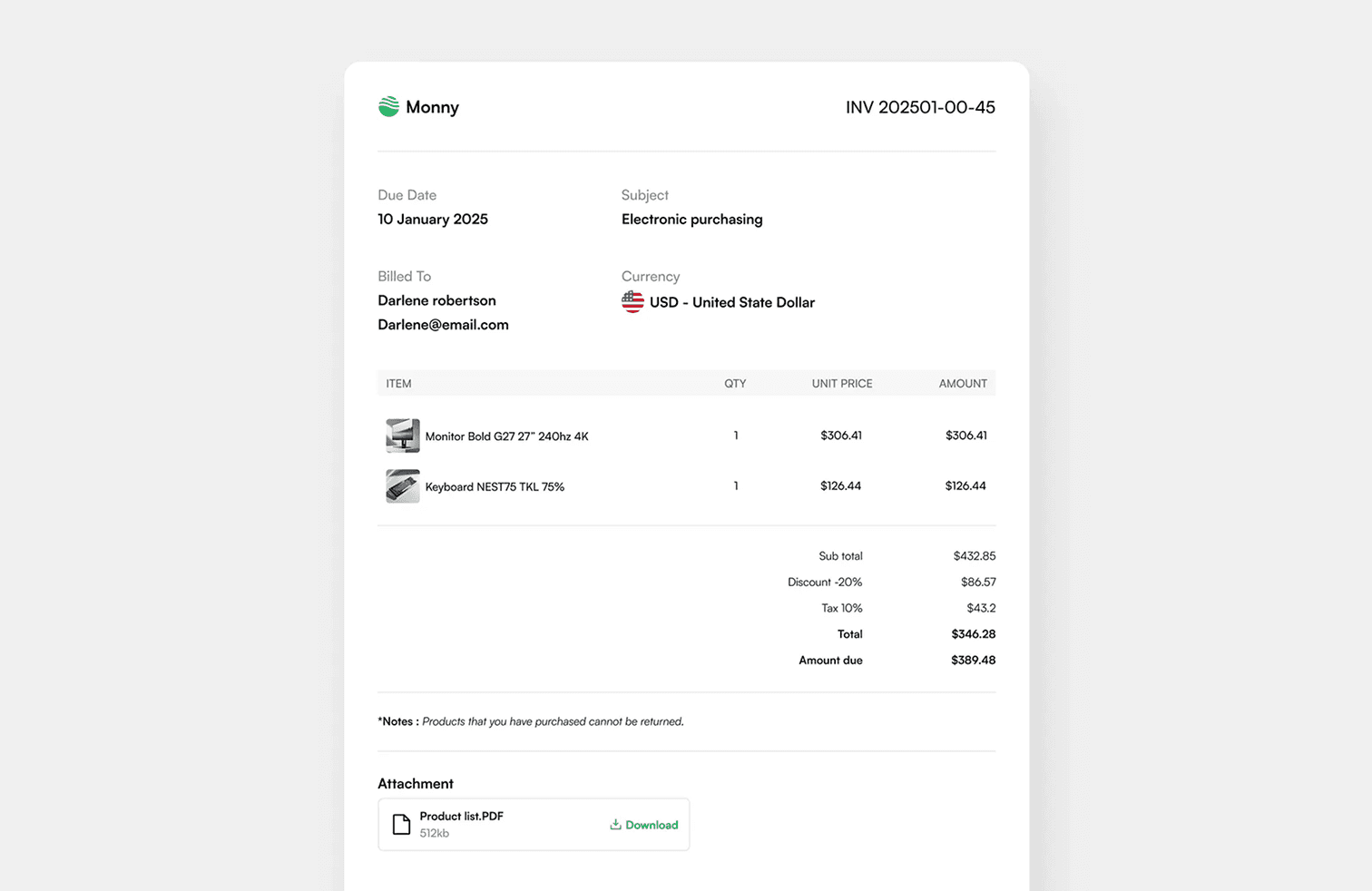
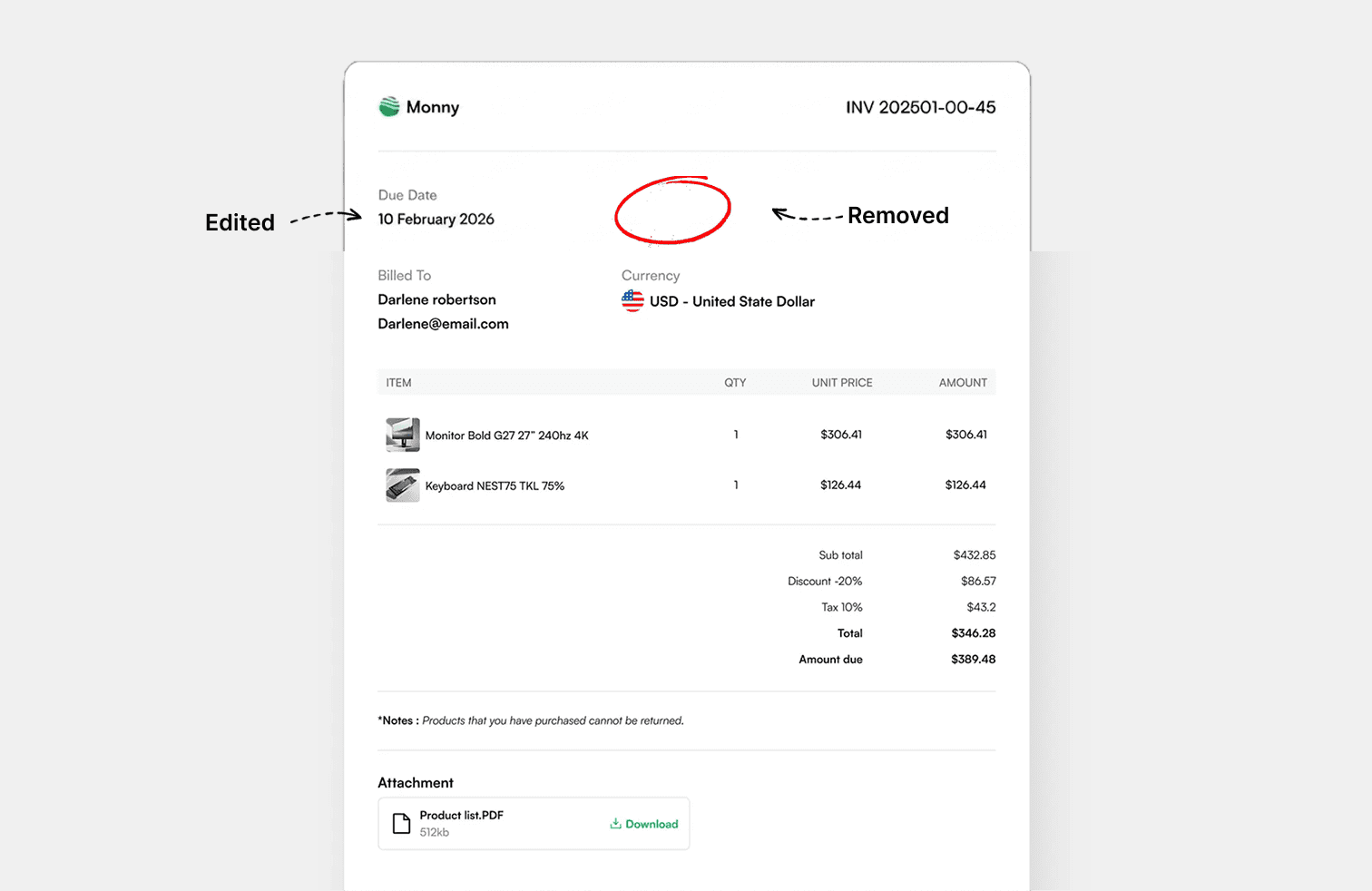
Open a picture, click the words you want to change and type. Fix a price, a date or a typo in seconds, without design software and without signing up.
Drop an image or PDF here, or paste one
JPG, PNG, WEBP or PDF, up to 25 MB
1 · 2 · 3
Drop in a JPG, PNG, WEBP or PDF, or paste a screenshot from your clipboard.
Every word is found for you. Click one, choose the word or its whole line, and type the replacement.
Save the result in the format you uploaded, or as PNG, JPG, WEBP or PDF.
Image Text Editor
Optical character recognition reads the image and locates every line and every word, so there is nothing to trace or select by hand. All detected text is also listed beside the image, ready to pick.
Click any word in the picture and choose whether to change just that word or its entire line. The rest of the image stays exactly as it was.
When you edit text, the original is painted over using the background around it. Flat colours and smooth gradients carry straight through, with no smudges from neighbouring letters.
Replacement text is measured against the original ink, so it starts at the same height, colour and boldness, in the same spot. Adjust any of them if you want something different.
Choose from sans serif, serif, display, handwriting and monospace families, use the fonts installed on your computer, or upload a font file of your own.
The editor is built for touch as well as mouse. Tap text to edit it and drag it into place with a finger.
Yes. You can open an image, edit its text and download the result without paying or creating an account.
Size, colour and weight are matched automatically, but the typeface is your choice. Pick the closest family in the Font section, or upload the exact font file if you have it.
Very small, stylised or low-contrast text can be missed. Erase it by hand with the Removal tool, then add new text on top.
In your browser on your device. A compressed copy is sent to our server once so the text can be detected; it is not kept.
JPG, PNG, WEBP and PDF up to 25 MB. For a PDF, the first page is opened and saved back as a PDF.
Edit, remove and add text in images, right in your browser.